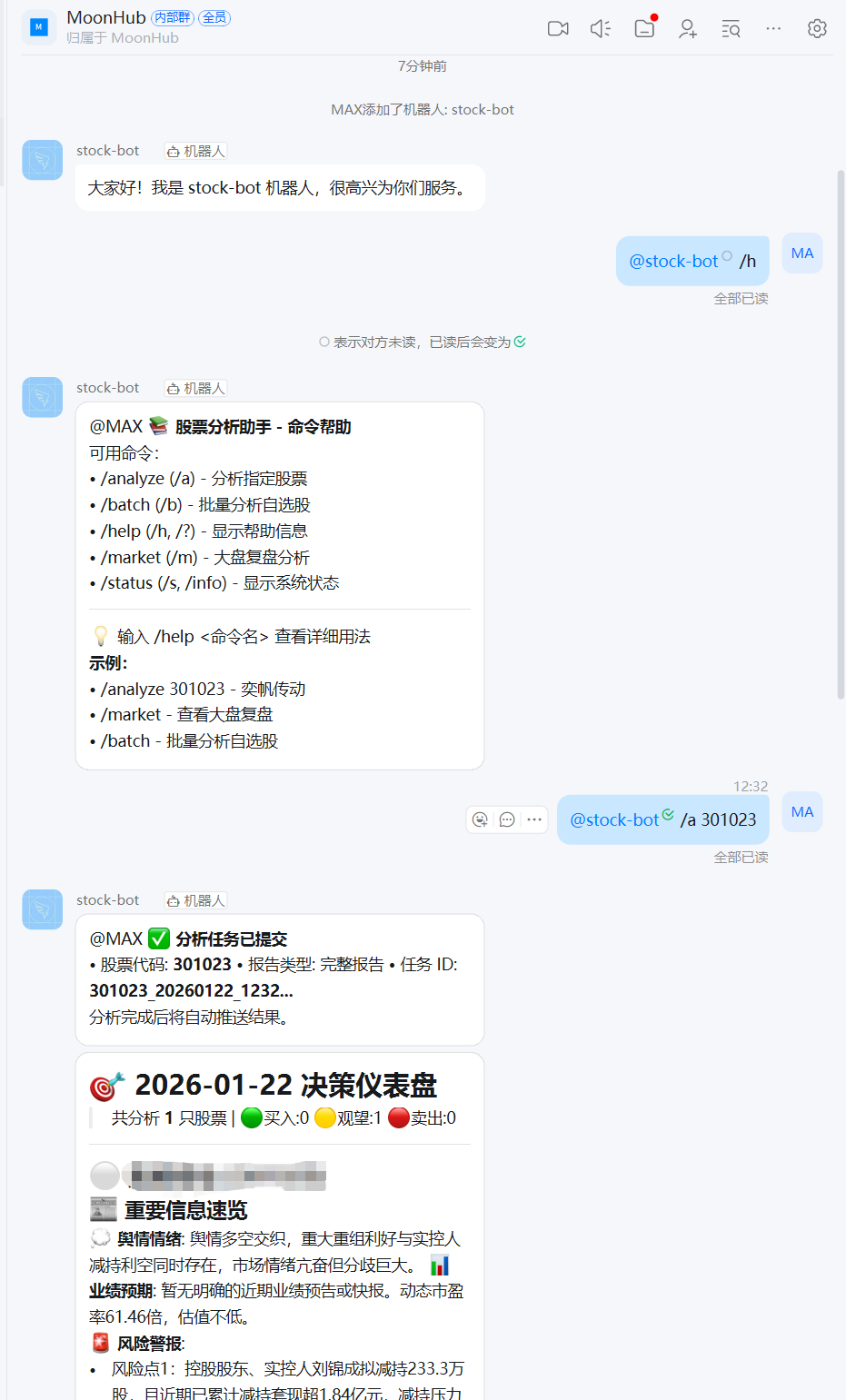
通知与 Bot
钉钉企业机器人配置
钉钉机器人接收消息需要使用企业机器人能力
钉钉机器人
钉钉机器人接收消息需要使用企业机器人能力 https://open.dingtalk.com/document/dingstart/configure-the-robot-application
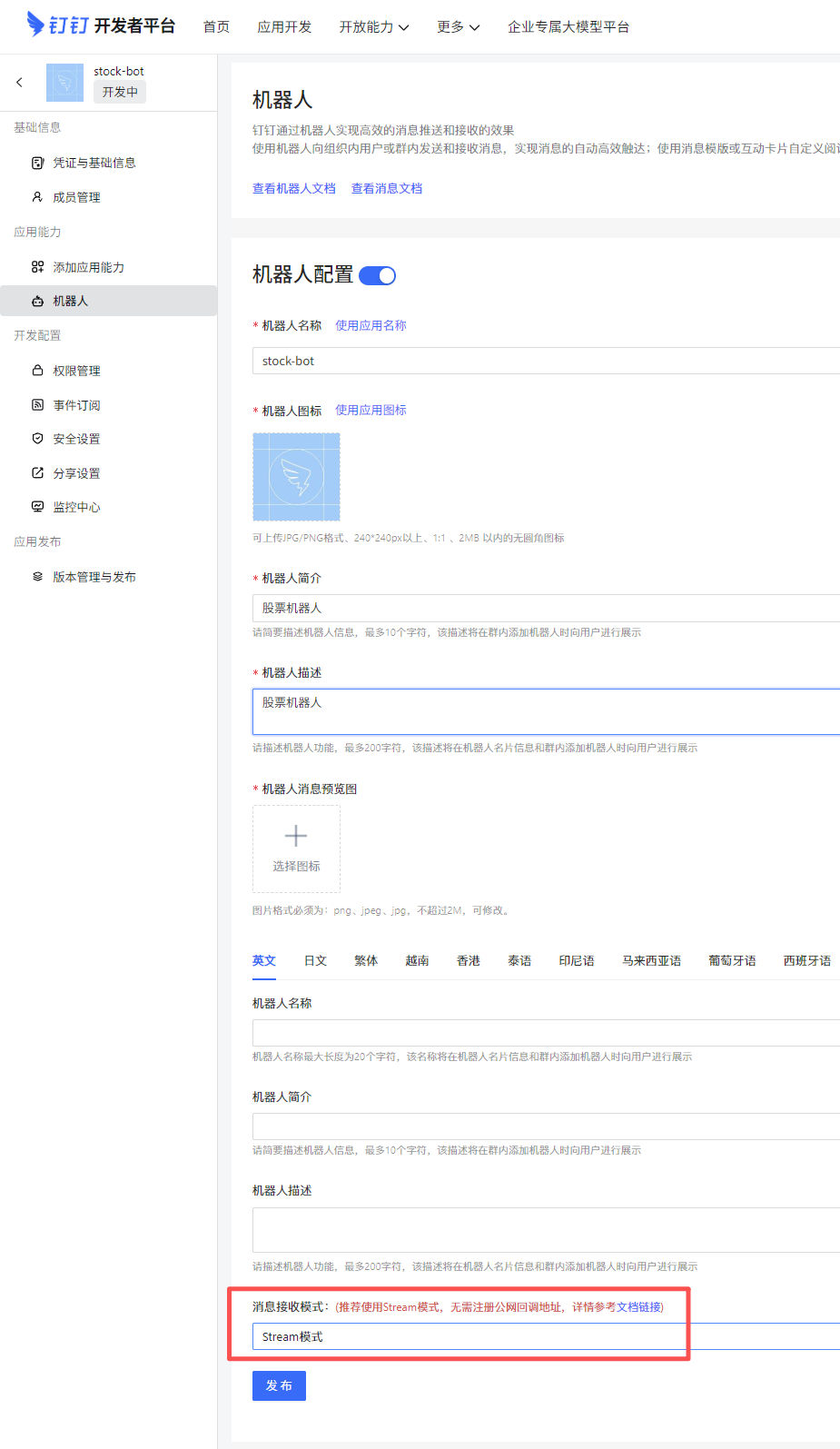
接收消息分为 Http模式(需要配置公网地址) 和 Stream模式 两种, 推荐使用 Stream模式
创建应用步骤:https://open.dingtalk.com/document/dingstart/create-application
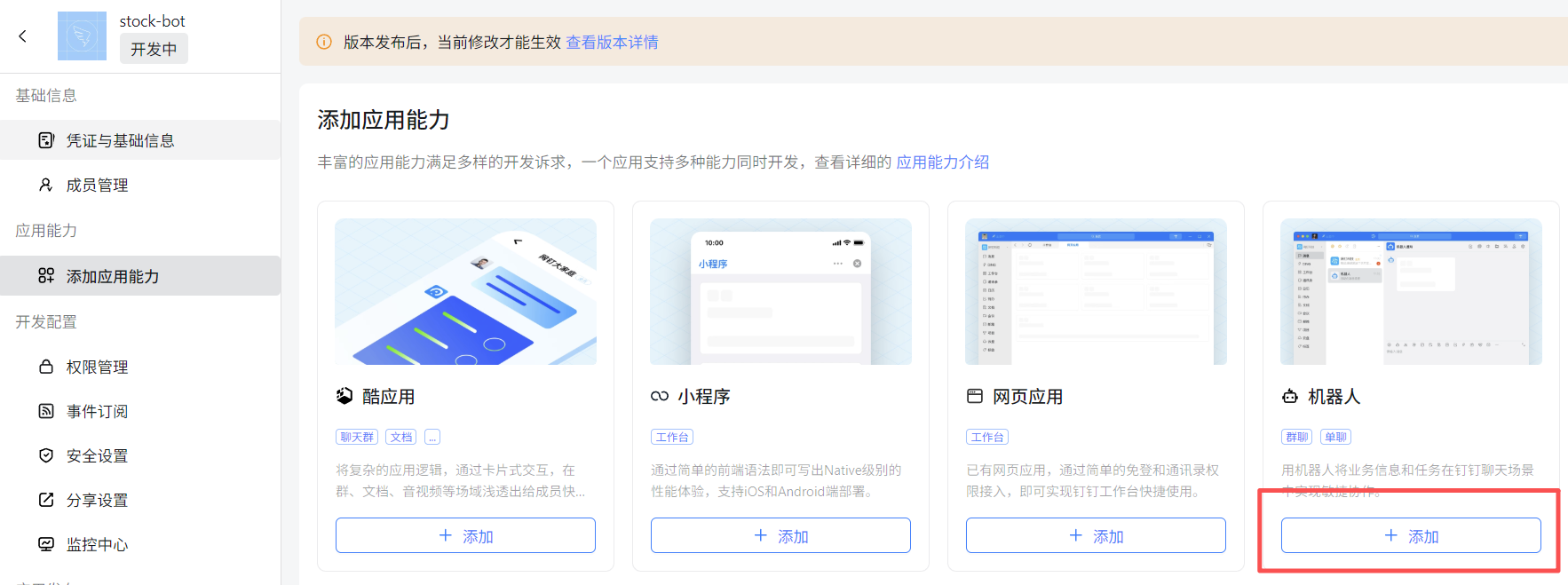
应用开发 > 企业内部应用 > 钉钉应用 > 创建应用 > 添加应用能力 > 机器人
添加机器人
配置机器人使用 Stream模式
获取应用凭证
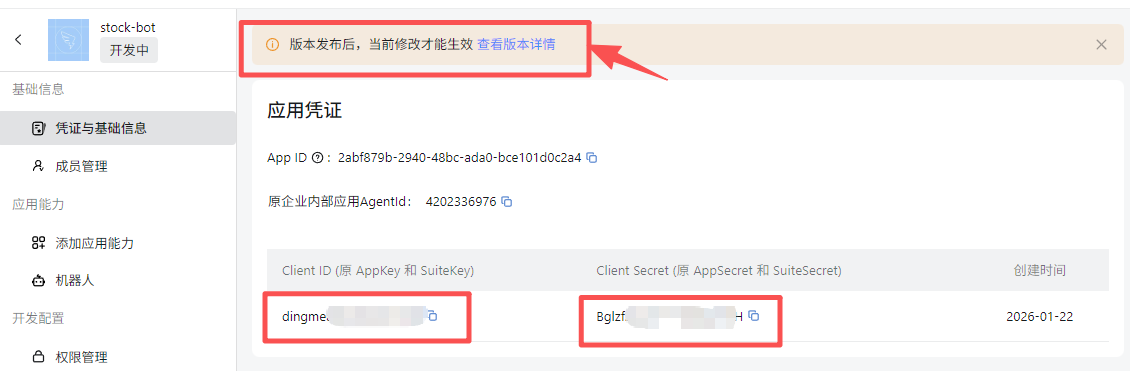
配置钉钉凭证
把钉钉应用凭证配置到配置文件中 !img.png
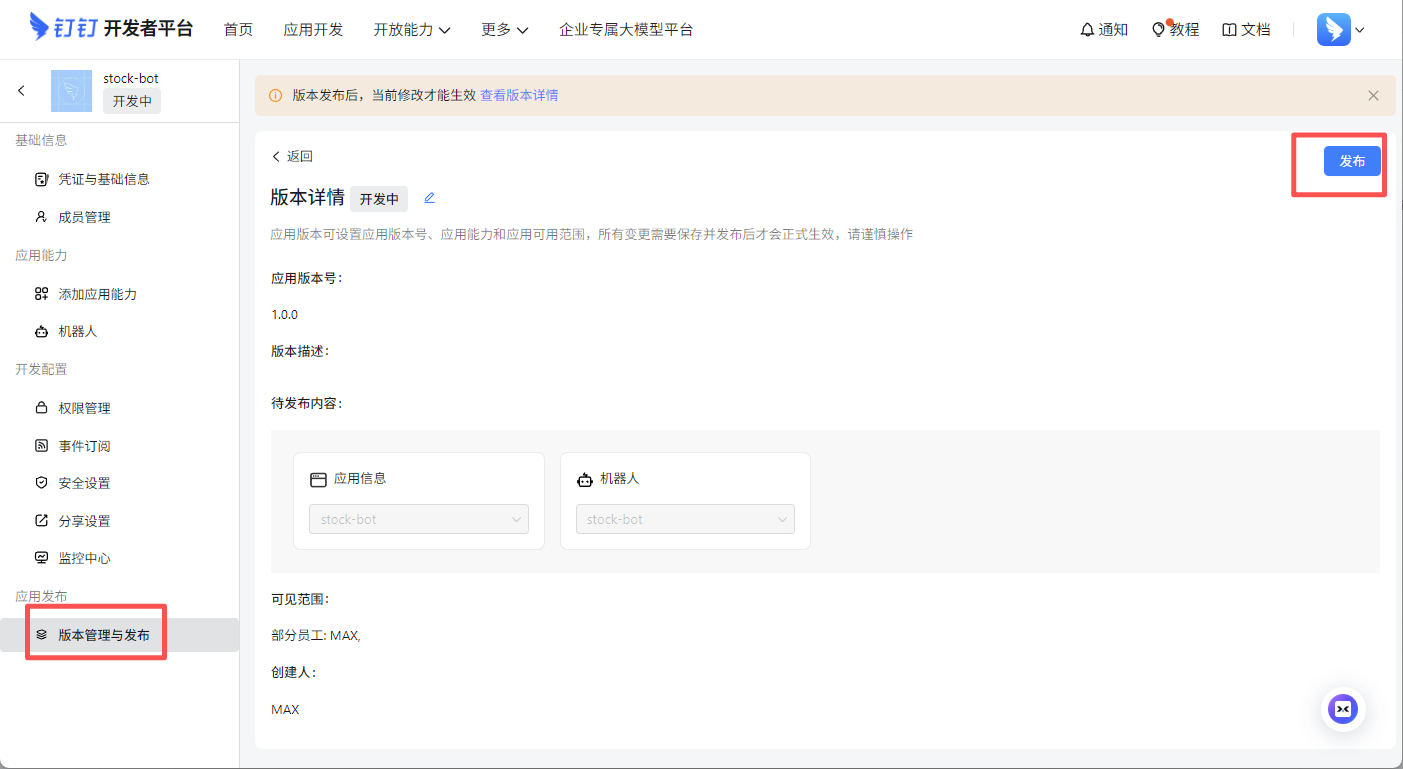
发布应用
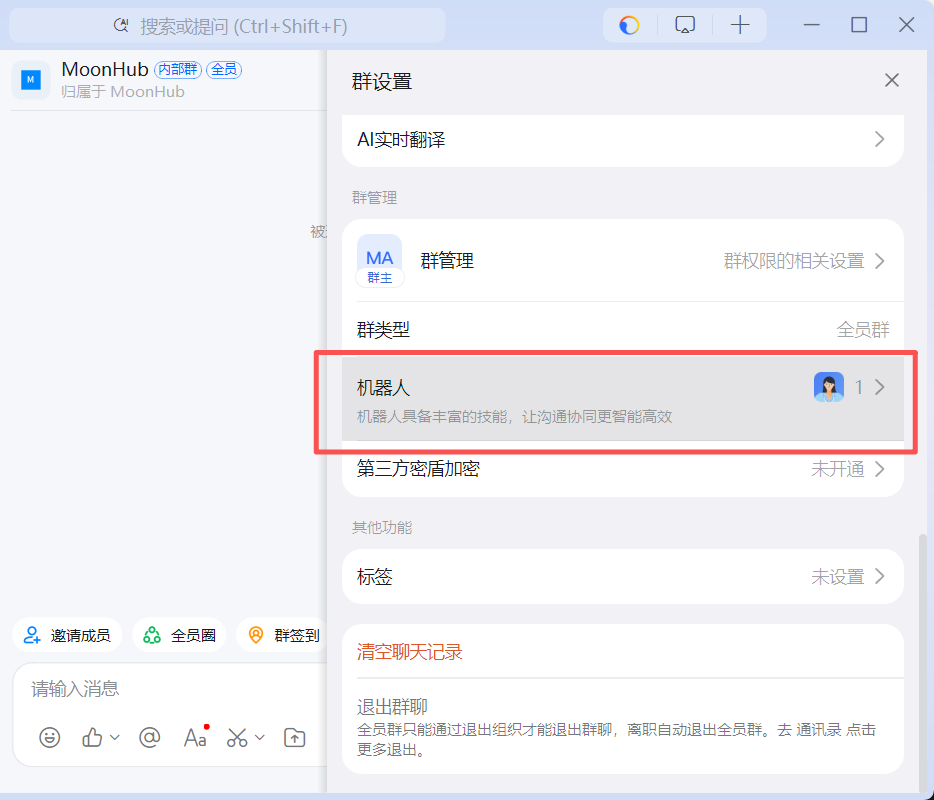
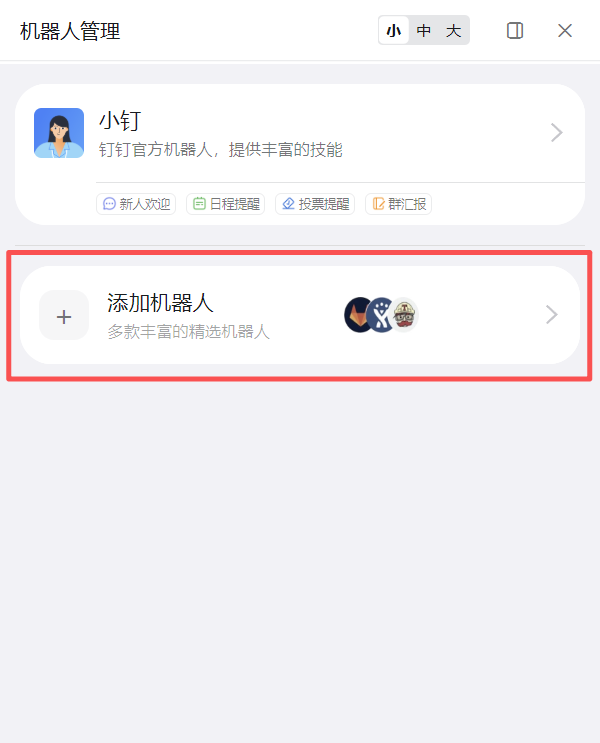
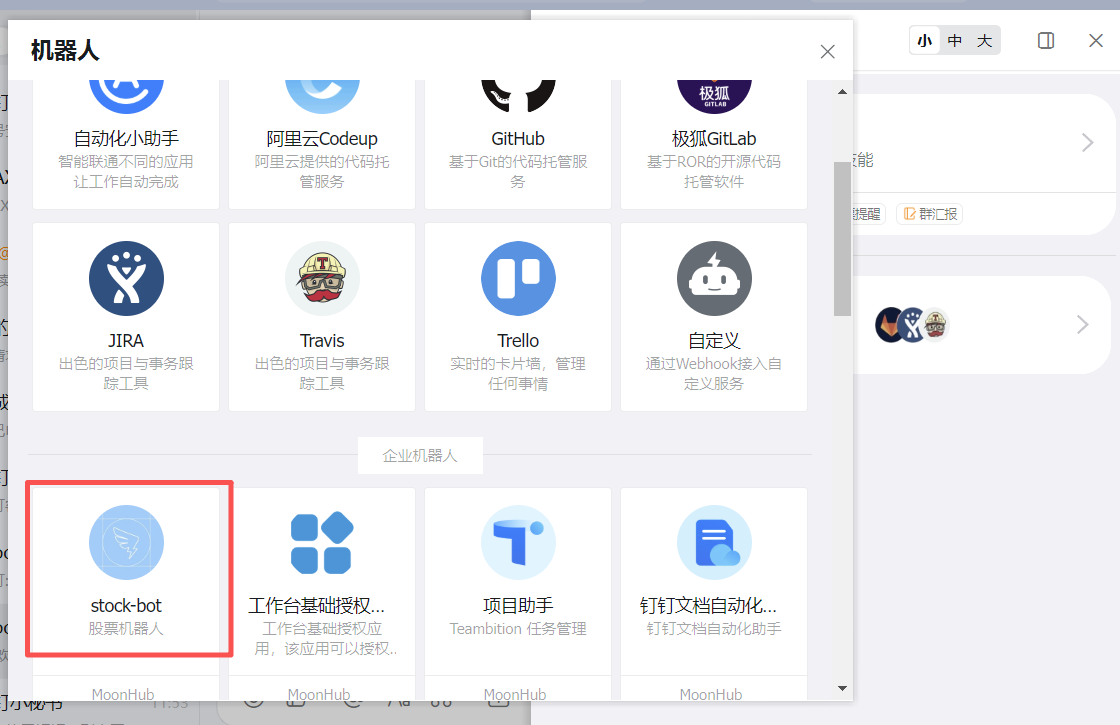
往下滚动会看到增加的企业机器人
测试机器人命令